
what it does
Six things, and the first one is the whole point.
Sessions do not queue politely. They finish, they ask a question, they sit waiting, and the cost of that is the minutes between a session stopping and you noticing. Everything here exists to shorten that gap.
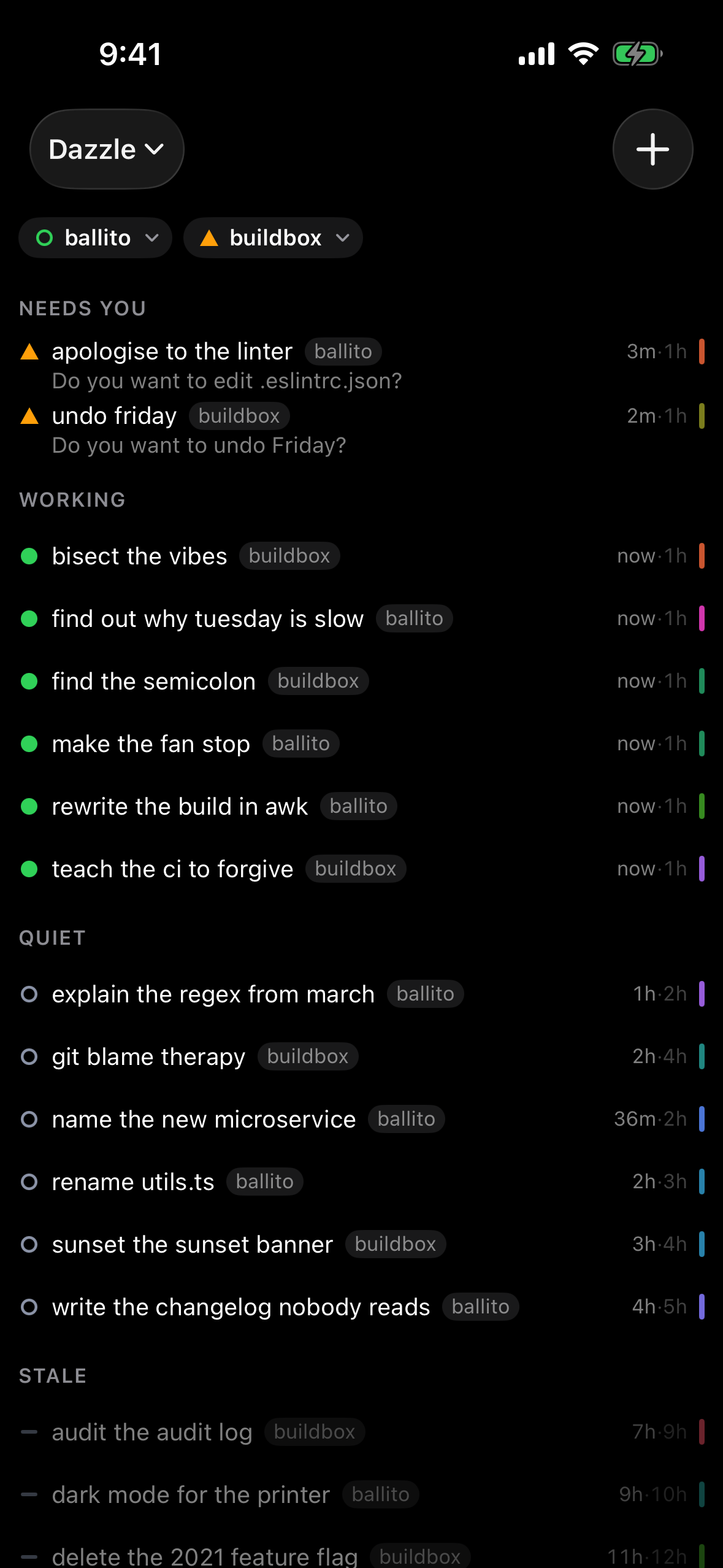
The one that needs you, on top
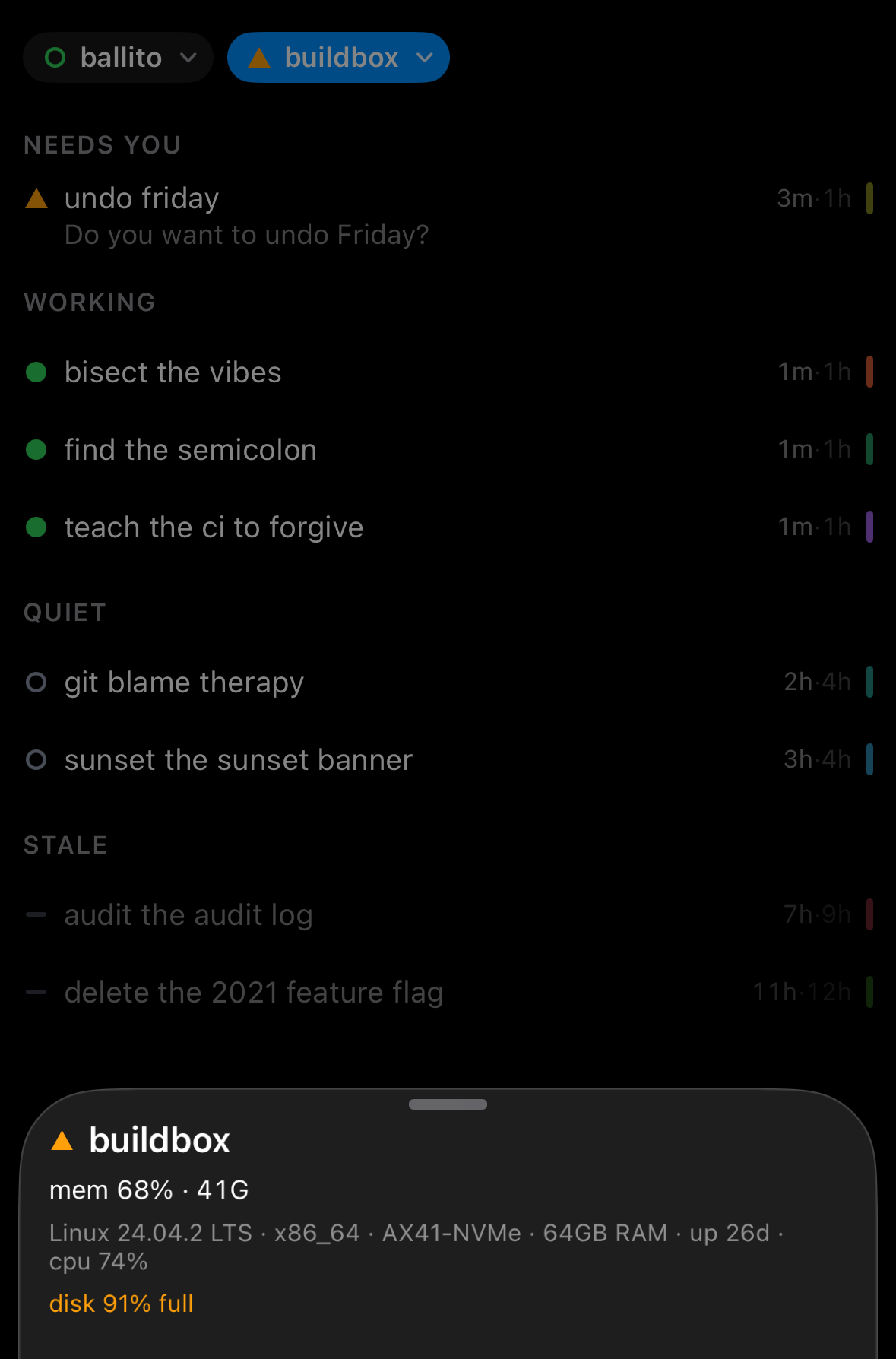
Four tiers, in one order that never surprises you: needs you, working, quiet, stale, then alphabetical inside each. Never by recency. A card moves only when its state actually changes, so the list you scanned a minute ago is still the list you are looking at.
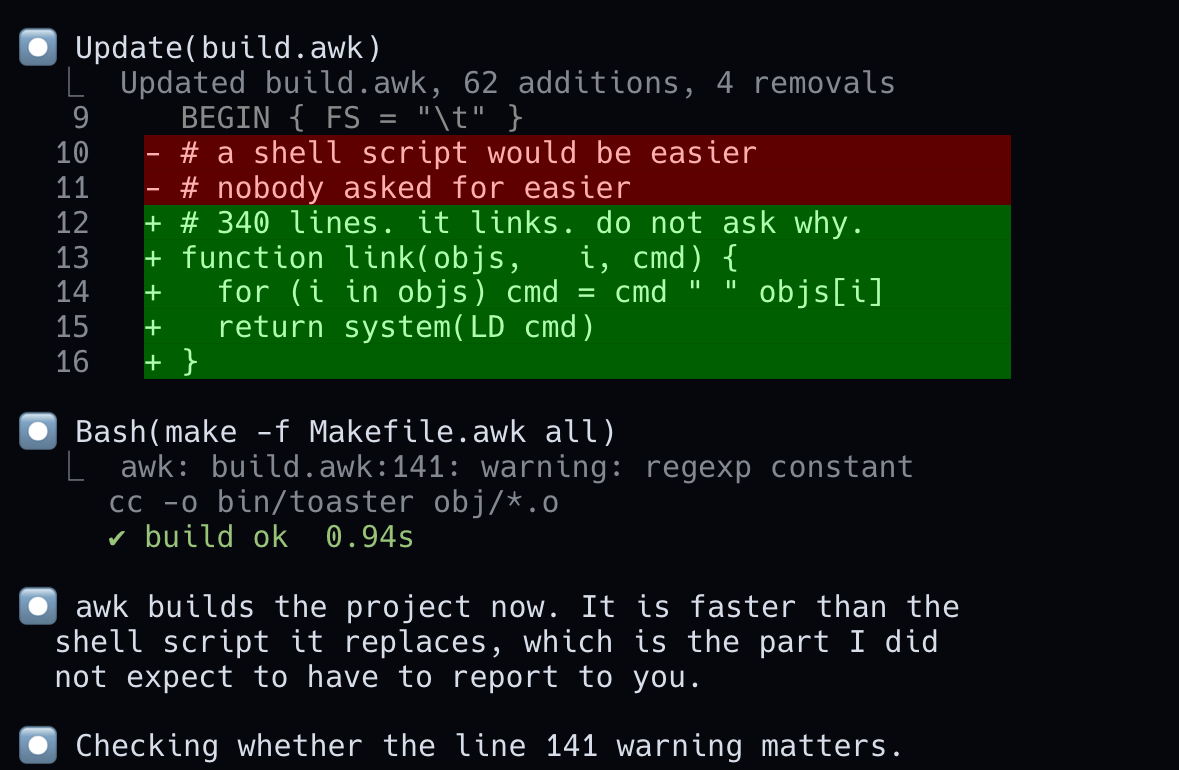
A real terminal, live
The pane renders the escape codes the program actually printed, bold, dim, 256 colour, truecolor, and it streams. Scroll up on a Claude pane and it keeps going into that session’s own transcript, in place, above the live grid.
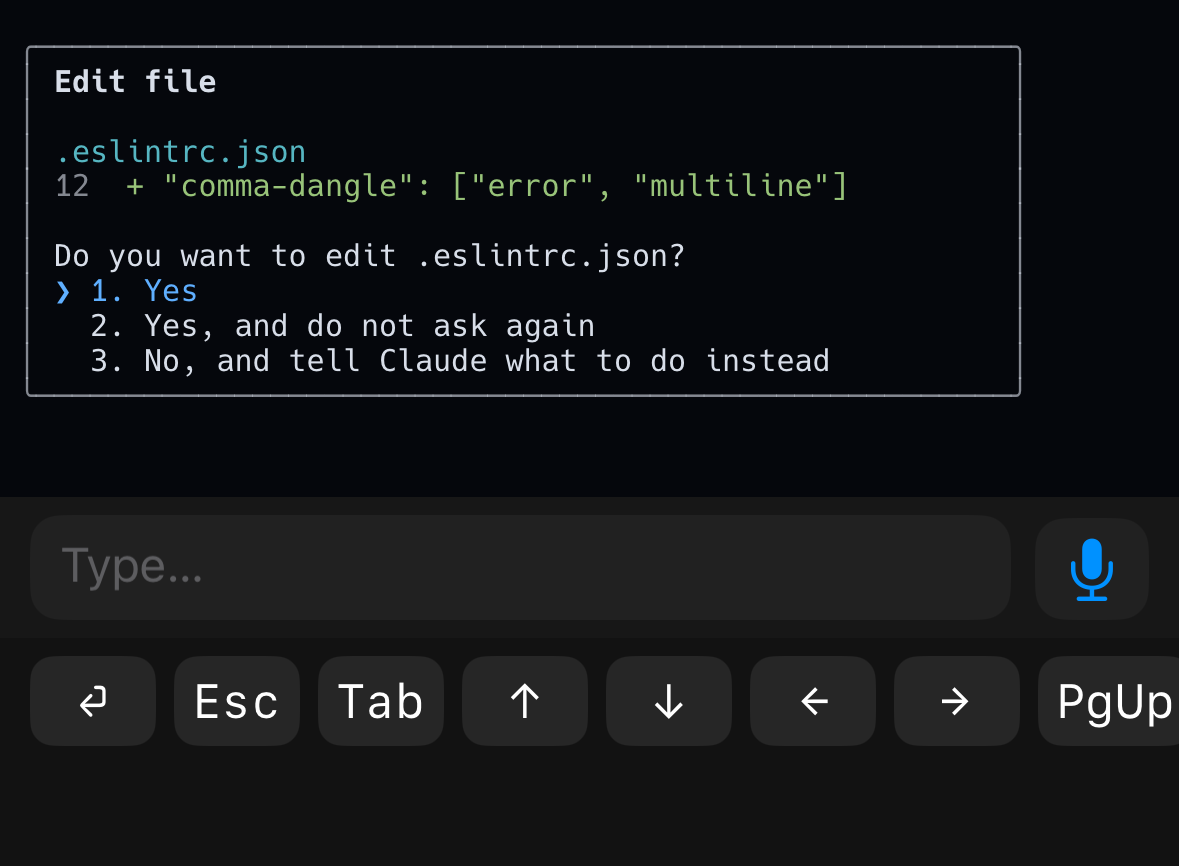
Answer it with one thumb
A key strip carries the answers a prompt actually wants, and typing a slash opens the commands that pane accepts as a list you tap. Every send is read back off the pane afterwards, so a swallowed keystroke is retried and then told to you, rather than sitting there unsent.
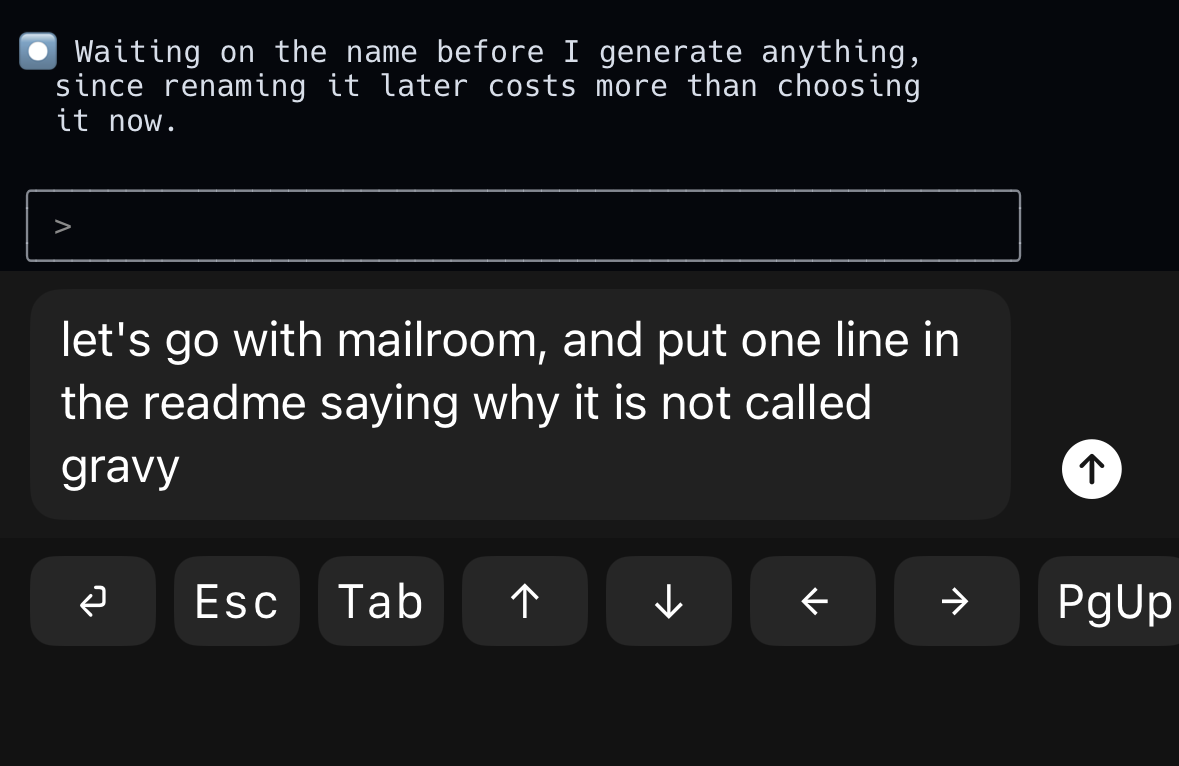
Talk into a session
Tap the mic, say the paragraph, tap again. It lands in the composer for you to read before you send it, and your own dictation vocabulary comes with you, so the proper nouns come back spelled the way you spell them.
Every machine, one list
A full Dazzle runs on every box, and the one you point your phone at merges the rest in. Above the feed, a line per machine: memory in use, disk free. Tap it and the feed narrows to that machine. A healthy box is monochrome, so colour up there always means something.
A push the moment it stops
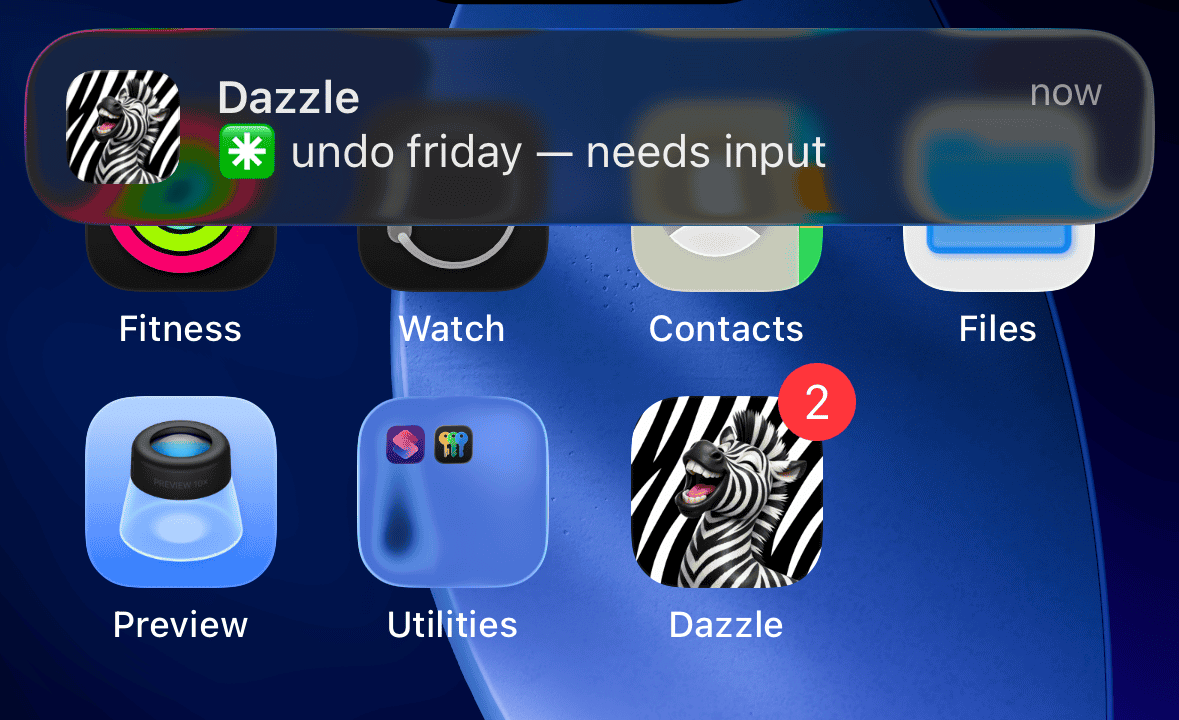
One push on the edge into waiting, never a reminder while it waits, and the badge is the exact number of sessions sitting on a question. A watcher on the machine does the looking, so it arrives with the app closed.
stay in the loop
Interested?
Dazzle is a personal tool, built for one desk. There is nothing to download today. Leave an address and you will hear from us if that changes, and nothing else will ever be sent to it.
One address, and no mail is ever sent to it.